
Supabase Explained: Free Database, Auth & Storage for Your Project
Supabase is an open-source backend platform that gives you a real PostgreSQL database, user authentication, file storage, and auto-generated APIs - all in one place, no server required. The free tier is genuinely usable for personal projects and prototypes. This article explains how it works, what the free plan actually limits you to, and when Supabase is the right choice.
If you have ever wanted a real database for a web app without setting up your own server, Supabase is one of the most practical options available today. No DevOps knowledge required - you create a project, grab an API key, and start reading and writing data within minutes. More importantly, Supabase is not a black box: everything runs on standard PostgreSQL, and you can self-host the entire stack if you ever need to.
What is Supabase?
Supabase is an open-source Backend-as-a-Service (BaaS) platform launched in 2020. It was built as an open-source alternative to Google’s Firebase, with one critical difference: Supabase uses PostgreSQL - a mature, battle-tested relational (SQL) database - instead of the NoSQL Firestore used by Firebase.
The platform packages everything a web application needs on the backend side into a single, well-designed dashboard:
- Database: PostgreSQL with a visual Table Editor and SQL Editor built into the browser
- Authentication: Email/password, OAuth providers (Google, GitHub, etc.), magic links, phone OTP
- Storage: File storage (images, videos, documents) with fine-grained access policies
- Edge Functions: Server-side code execution close to users (Deno runtime)
- Realtime: Listen to database changes live via WebSocket subscriptions
- Vector / AI: Built-in pgvector support for semantic search and AI embedding workflows
For developers, Supabase generates a REST API and GraphQL API automatically from your database schema - create a table, and the corresponding API endpoint appears instantly, no manual route writing needed.
How Supabase Works
When you create a Supabase project, the platform spins up a dedicated PostgreSQL database for you, along with a middleware layer that exposes it as an API:
Client (web / mobile app)
    ↓ HTTPS request
PostgREST API (auto-generated from PostgreSQL schema)
    ↓
PostgreSQL Database
    ↑
Row Level Security (RLS) enforces access rules
PostgREST is the core component - it reads your PostgreSQL schema and automatically creates a REST API. Add a products table and /products is immediately available. Add a price column and it appears in the API response right away.
Row Level Security (RLS) is PostgreSQL’s built-in access control mechanism. Instead of writing “user can only read their own data” logic in your application code, you write policies directly in the database. This keeps data safe even when clients call the API directly using the anon key.
On the client side, you use the Supabase JavaScript SDK (@supabase/supabase-js) or SDKs for other languages (Python, Dart, Swift, Kotlin). The query syntax is clean and readable:
const { data } = await supabase
.from('products')
.select('*')
.eq('category', 'tech')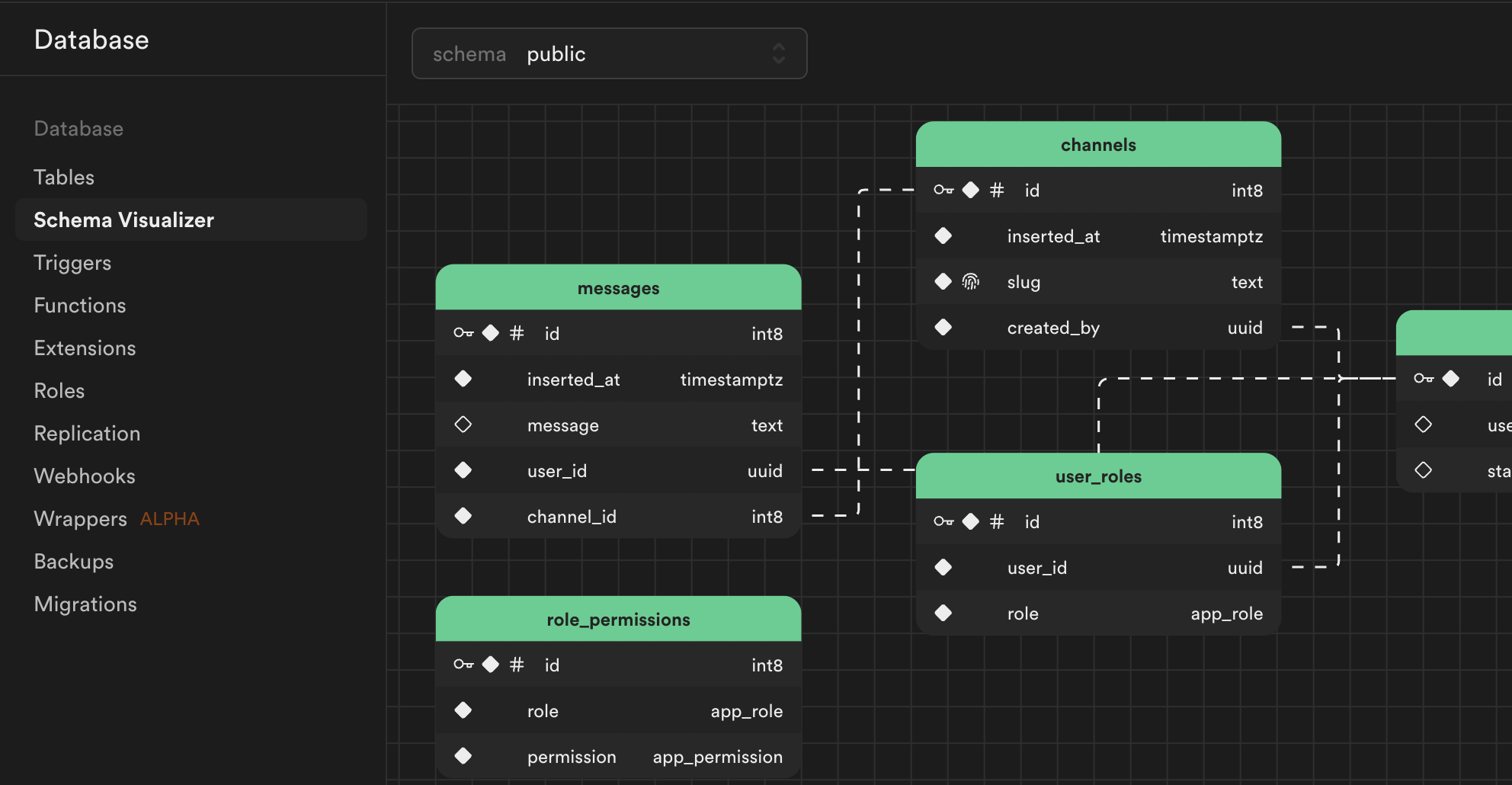 The Schema Visualizer in Supabase Studio - see all tables and their relationships at a glance.
Free Tier Limits - What You Actually Get
This is the most important section if you are deciding whether to use Supabase for a personal project or prototype.
Free plan (permanently free):
| Resource | Limit |
|---|---|
| Active projects | 2 projects |
| Database storage | 500 MB |
| Bandwidth | 5 GB / month |
| Monthly Active Users (Auth) | 50,000 users |
| File storage | 1 GB |
| Edge Function invocations | 500,000 / month |
| RAM | 500 MB (shared CPU) |
| Backup | None |
| Support | Community only |
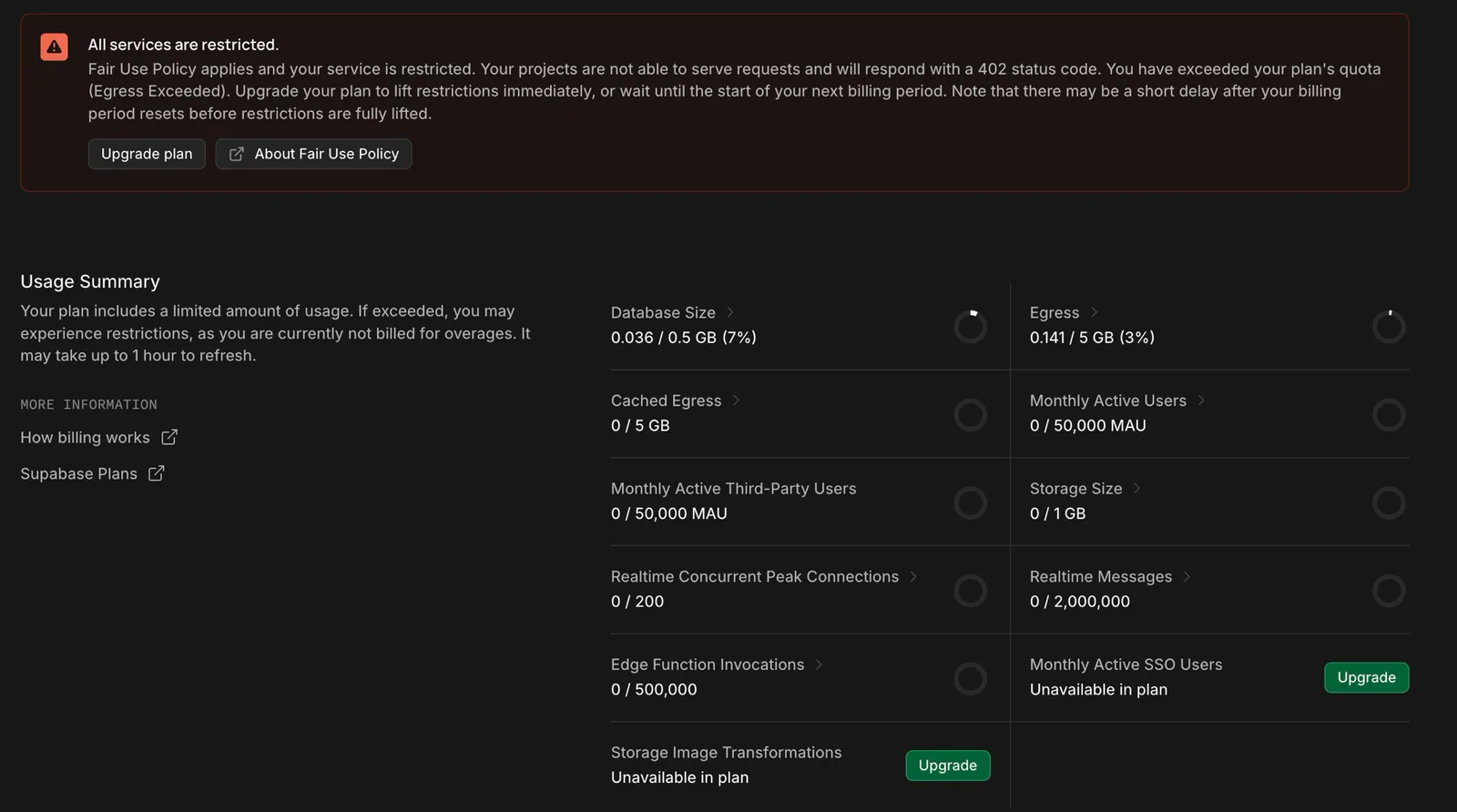 A free tier project that has been paused due to inactivity - resuming takes just one click.
The most important warning: Free tier projects are automatically paused after 1 week of inactivity. Your data stays intact, but the database takes 1-2 seconds to wake up when resumed. This is fine for learning and side projects, but not acceptable for a production app with real users checking in daily.
Pro plan ($25/month):
- 8 GB database, 250 GB bandwidth, 100 GB storage
- No automatic pausing
- Daily automated backups
- Dedicated support channel
For most personal projects, side projects, or MVPs: the free tier is enough. 500 MB of PostgreSQL can hold millions of ordinary records. 50,000 MAU is plenty of runway before you need to upgrade.
When Supabase Makes Sense
Choose Supabase when:
- You need a real SQL database: If your data has relationships (user - order - product), PostgreSQL handles it far better than NoSQL. JOINs, triggers, and functions all work natively.
- You need Auth without building it yourself: Magic links, Google/GitHub OAuth, JWT tokens - set up in minutes instead of writing auth from scratch.
- You are working solo or in a small team: Two free projects and 500 MB covers the vast majority of prototypes and MVPs.
- You want the option to self-host later: Supabase is fully open-source. Deploy the entire stack on your own server via Docker when needed.
- You need realtime features: Chat, notifications, live dashboards - Supabase Realtime subscriptions via WebSocket are simple to configure.
- You are building AI features: pgvector comes built-in, making Supabase an excellent backend for applications that need embedding storage and semantic search.
Supabase is not the best fit when:
- Traffic is extremely high: Shared infrastructure on free and pro tiers has limits. At scale, self-hosting or Enterprise is the right path.
- Your data is heavily unstructured: If everything is free-form JSON with no consistent schema, Firebase/Firestore may feel more natural.
- You need strict SLAs: Production workloads with uptime commitments should use at least the Pro plan, and terms should be reviewed carefully.
Supabase vs Firebase - Quick Comparison
| Factor | Supabase | Firebase |
|---|---|---|
| Database | PostgreSQL (SQL) | Firestore (NoSQL) |
| Open source | Yes | No |
| Self-hostable | Yes | No |
| Complex queries | SQL - very powerful | Limited |
| Realtime | Yes | Yes (stronger) |
| Auth | Full-featured | Full-featured |
| Vendor lock-in | Low | High (Google) |
| Free tier | Solid, pauses after 1 week | More generous |
Pick Supabase if you prioritize SQL, open-source, and avoiding Google ecosystem lock-in. Pick Firebase if you need deep Google Cloud integration or prefer NoSQL document storage.
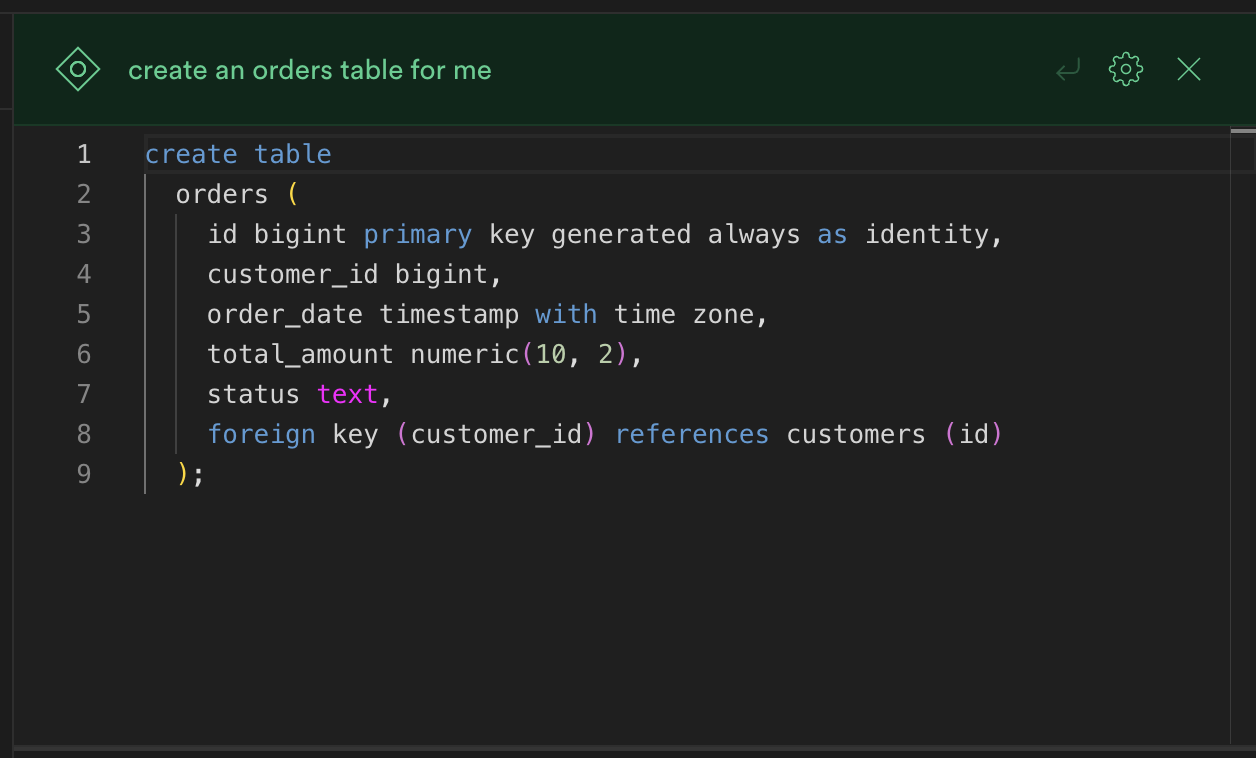 The SQL Editor with built-in AI - describe what you need in plain language, and it generates and runs the SQL for you.
Frequently Asked Questions (FAQ)
Does the Supabase free plan expire?
The free plan does not expire on a time basis. However, projects are automatically paused after 1 week of no activity. When you resume, your database is fully intact. If you access the project at least once a week, it will never be paused.
Can I use Supabase with Astro, Next.js, or React?
Yes. Supabase has an official JavaScript/TypeScript SDK (@supabase/supabase-js) that works with any frontend framework - React, Next.js, Astro, Vue, SvelteKit. There are also official SDKs for Python, Dart (Flutter), Swift, and Kotlin. Integration is straightforward: you only need the Project URL and anon key to get started.
I do not know SQL. Can I still use Supabase?
Yes. The Table Editor in Supabase Studio is a spreadsheet-style interface where you can create tables and enter data without writing any SQL. The JavaScript SDK also provides a chainable query API that handles most common operations without requiring raw SQL. That said, knowing basic SQL will unlock the real power of the platform - especially for joins, views, and data transformations.
Is it safe to use the anon key in frontend code?
The anon key is designed to be used on the client side - it is not a secret. Real security comes from Row Level Security (RLS): you write policies in PostgreSQL that control which users can read or write which rows. With RLS configured correctly, the data stays protected even if the anon key is exposed. The service_role key is the actual secret - it bypasses RLS entirely and must only be used server-side, never in frontend code.
What file types can Supabase Storage handle? What is the size limit per file?
Supabase Storage accepts any file type: images, video, PDF, CSV, audio, and more. The free tier has a 50 MB per-file upload limit. Total storage is 1 GB on the free plan. Files are served via CDN with either a public URL or a signed URL with an expiry time for private files.
Summary
Supabase is the practical backend choice for developers who want a real database, authentication, and file storage without running their own server. The free tier - 500 MB PostgreSQL, 50,000 MAU, and 5 GB bandwidth - covers most personal projects and early-stage MVPs comfortably, with the one caveat that free projects pause after a week of inactivity. Whether you are building a side project, a prototype, or your first production app, Supabase gives you the infrastructure to move fast without a large infrastructure bill.