
Overview
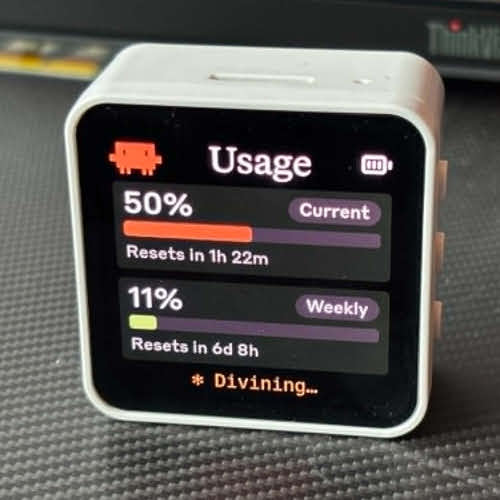
Clawdmeter is an open-source hardware project that lets you build a compact physical dashboard for monitoring your Claude Code API usage in real-time. Running on an ESP32-S3 with a 2.16-inch AMOLED touchscreen, the device pairs wirelessly with your computer via Bluetooth and receives live usage data from a background daemon.
The standout feature: a pixel-art Clawd mascot that animates more intensely as your usage climbs - equal parts useful and charming for any developer's desk setup.
Key Features
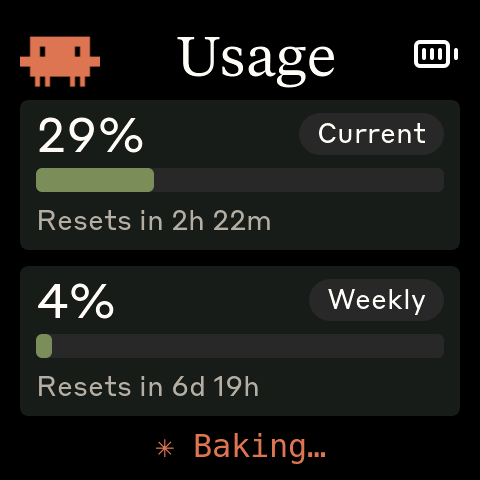
- 3-screen interface - Splash animation, usage metrics (session + weekly %), Bluetooth status
- Bluetooth HID - Physical buttons send Space (voice mode) and Shift+Tab (mode toggle) directly into Claude Code
- Cross-platform daemon - Linux and macOS support; automatically polls the API and pushes data to the device over BLE
- Pixel-art Clawd - Retro-style mascot animation that scales with your usage intensity
Required Hardware
- Waveshare ESP32-S3-Touch-AMOLED-2.16 - 480x480 AMOLED display with capacitive touch and integrated PMU
Quick Setup (macOS)
# Flash firmware to the device
./flash-mac.sh

# Pair via Bluetooth: System Settings -> Bluetooth -> select Clawdmeter

# Install daemon (LaunchAgent runs automatically on login)
./install-mac.sh
On Linux, use PlatformIO to flash the firmware and systemctl --user start claude-usage-daemon to start the daemon.
Notes
- Requires an Anthropic API key with usage data read access
- Clawd mascot artwork is proprietary to Anthropic - personal use only
- Firmware is built with PlatformIO (C/C++); daemon is written in Python
Click the button above to view the full setup guide at the source repo.