
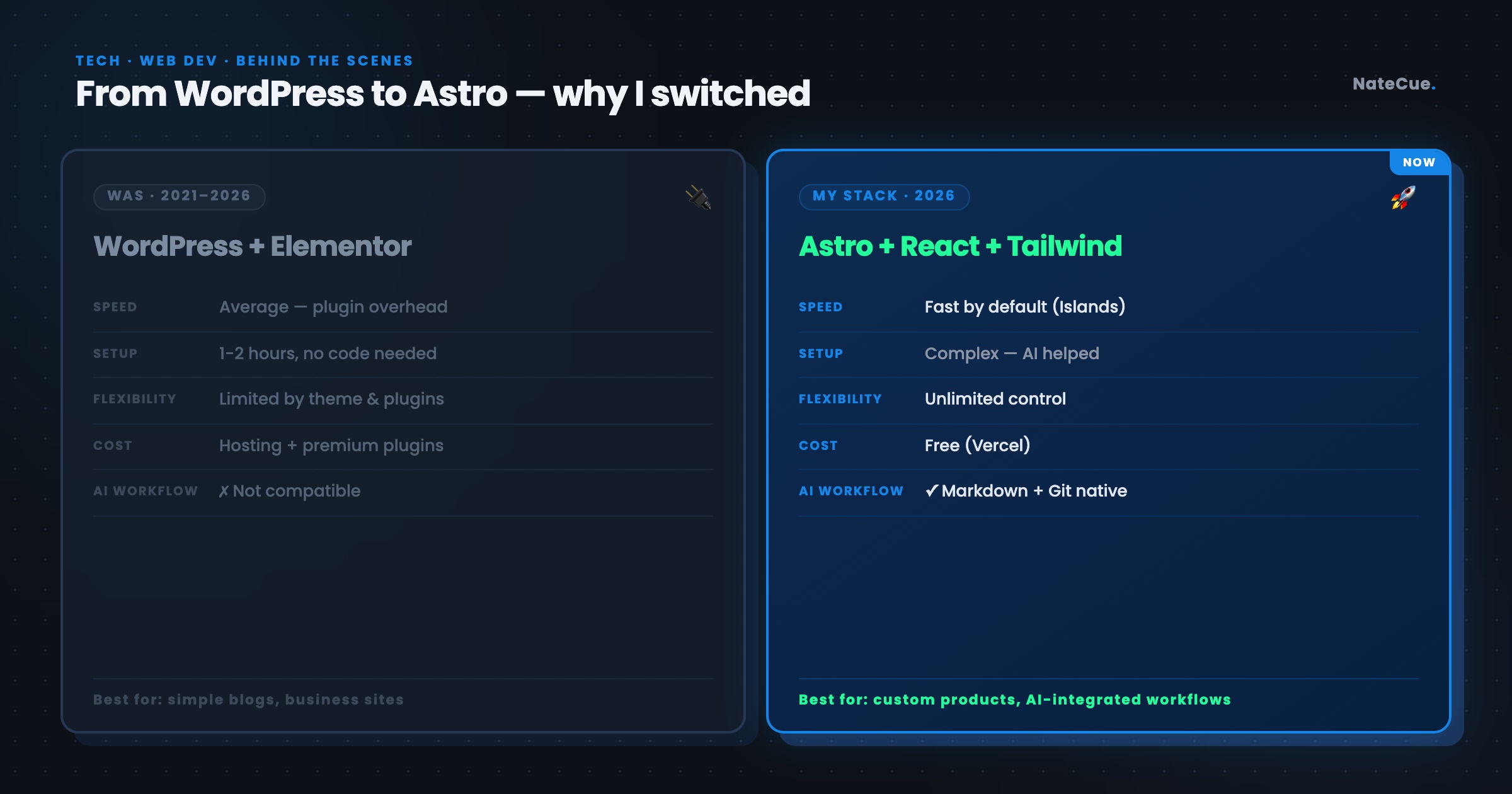
In 2021, I ran a full series on this blog walking through WordPress and Elementor - setup, configuration, building pages with drag-and-drop. Then around early April 2026, I made the call to move to a completely new tech stack.
Not because WordPress disappointed me, but because there were a few things I wanted to experiment with - an AI-assisted writing workflow, websites with more custom UX than templates allow - and it felt like the right moment to shed the old constraints and try a different approach.
When Elementor stopped being fun to work with
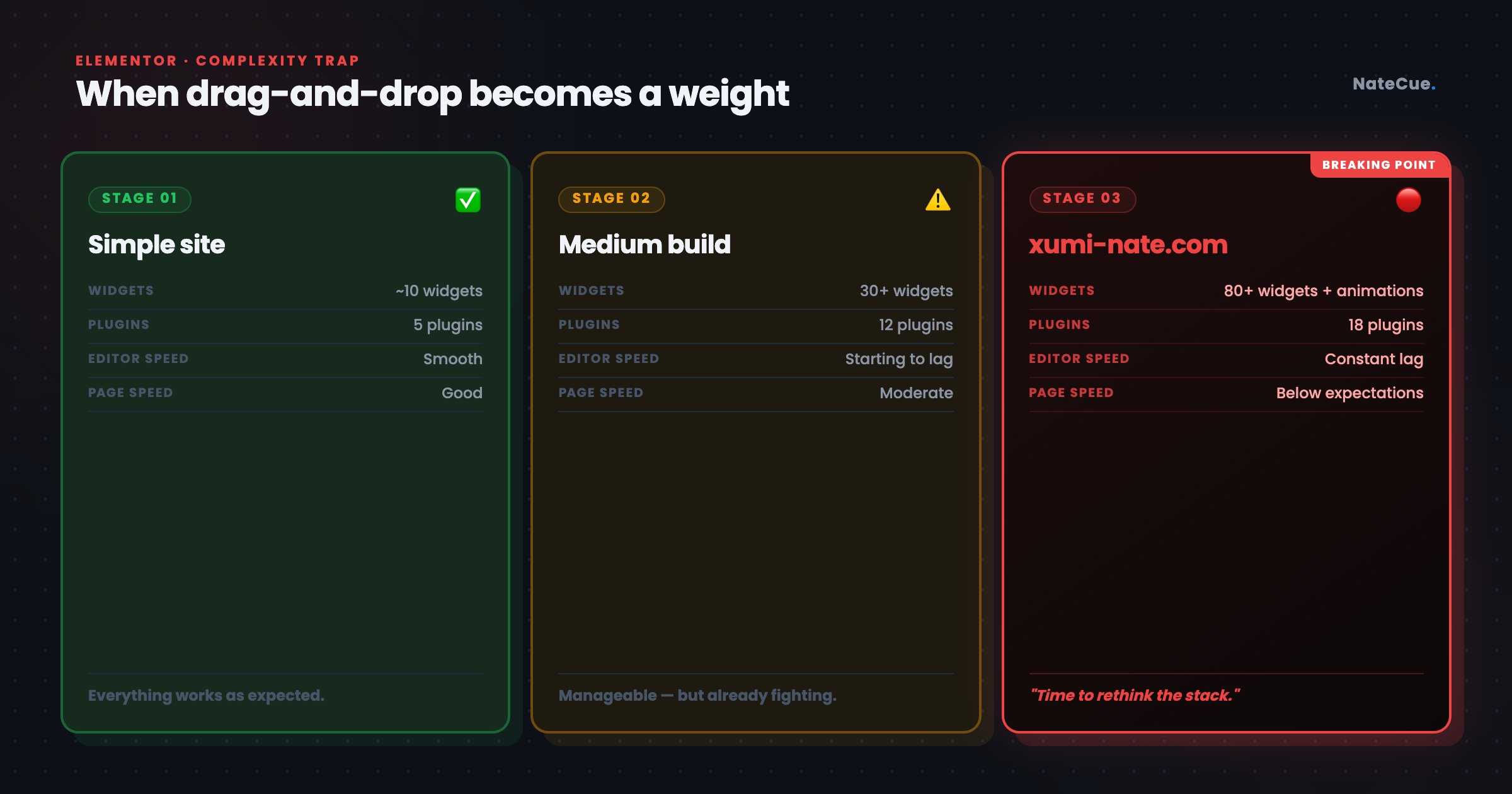
Elementor is probably the most popular drag-and-drop page builder on WordPress, and I used it to build a lot of different sites - personal blog, landing pages for various projects - and for most of that time it did the job fine. The problem didn’t creep up gradually; it hit clearly when I started building the wedding website xumi-nate.com - a site that needed to feel beautiful, smooth, and premium from top to bottom.
Once I started adding animations, combining multiple sections, and fine-tuning small details, Elementor started dragging. The editor lagged every time I added a new element, mobile previews took longer than they should, and the final site’s load speed didn’t meet expectations. It’s probably inherent to how Elementor works: each widget pulls in its own CSS and JS, and the more complex the page gets, the more that overhead accumulates. I eventually got it fixed and launched xumi-nate.com, but the feeling of fighting the tool instead of being supported by it - that stayed with me long after the website went live.
WordPress gets heavier over time
WordPress isn’t a bad platform - it powers over 40% of the web and there are good reasons for that. But after using it long enough, I noticed a set of problems that weren’t large individually, but stacked together were heavy enough to make me look in a different direction.
The first problem is plugin hell - every feature you want needs its own plugin. SEO, caching, security, image optimization, contact forms - one plugin each, and when there’s an update or a conflict, tracing the root cause becomes its own separate problem. On top of that, WordPress needs PHP hosting, a MySQL database, and an admin layer just to run, all of which creates an invisible but constant overhead in cost, maintenance, and mental load every time you want to try something new.
What made me feel most constrained was when I started thinking about sites with their own distinct UX - not a standard blog, not a landing page following a preset layout. Technically WordPress + Elementor could still handle it, but it would cost more effort than necessary and the result would still be boxed in by theme and plugin logic.
New stack: Astro + React + Tailwind CSS 4
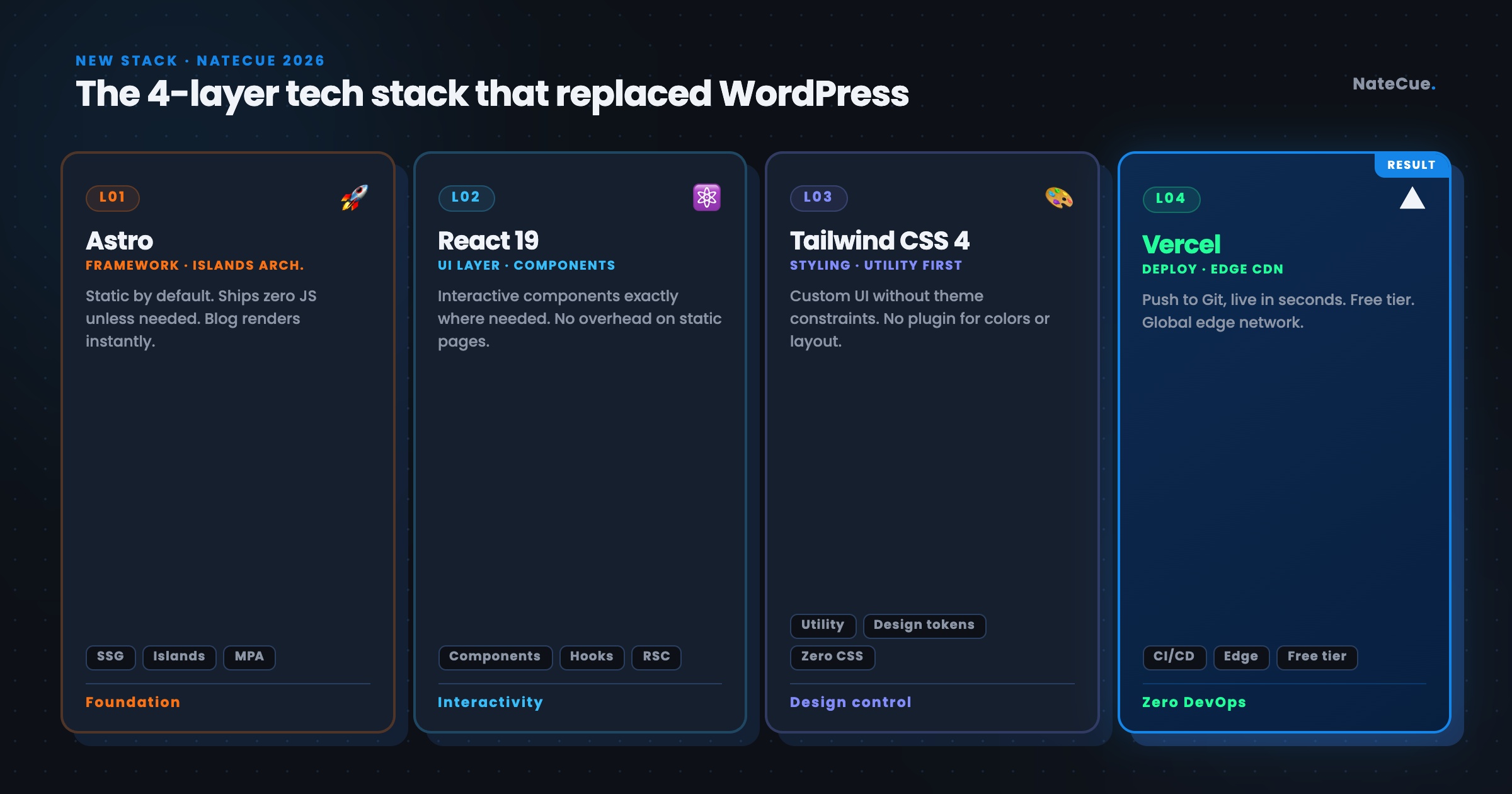
I chose Astro as the main framework, combined with React 19 for interactive components, Tailwind CSS 4 for styling, Keystatic as a git-based CMS, and Vercel for deployment. The reason I went with Astro is its “Islands” architecture - instead of pushing all JavaScript to the client like many other frameworks, Astro only sends JS when it’s actually needed, so blog posts render as completely static and load fast, while components that need interactivity still use React exactly where they need to. The result is significantly better performance and UI control compared to WordPress + Elementor - no plugin overhead, no editor interface standing between me and the output.
To be honest, without AI support I would have given up at the first step. I’m a marketer - setting up Astro config, writing React components from scratch, handling routing, or generating OG images automatically are all things outside my core skill set. AI - specifically Claude - is what bridged that gap throughout the entire build: explaining how the framework works, writing components when I described what I needed, debugging when things broke. This stack is technically not built for non-coders, but with AI as a collaborator, it became achievable in a way I wouldn’t have expected if I hadn’t tried.
What I was actually able to build
The push to switch stacks wasn’t general frustration - it was two specific projects I wanted to build, and both of them couldn’t be done well on the old platform.
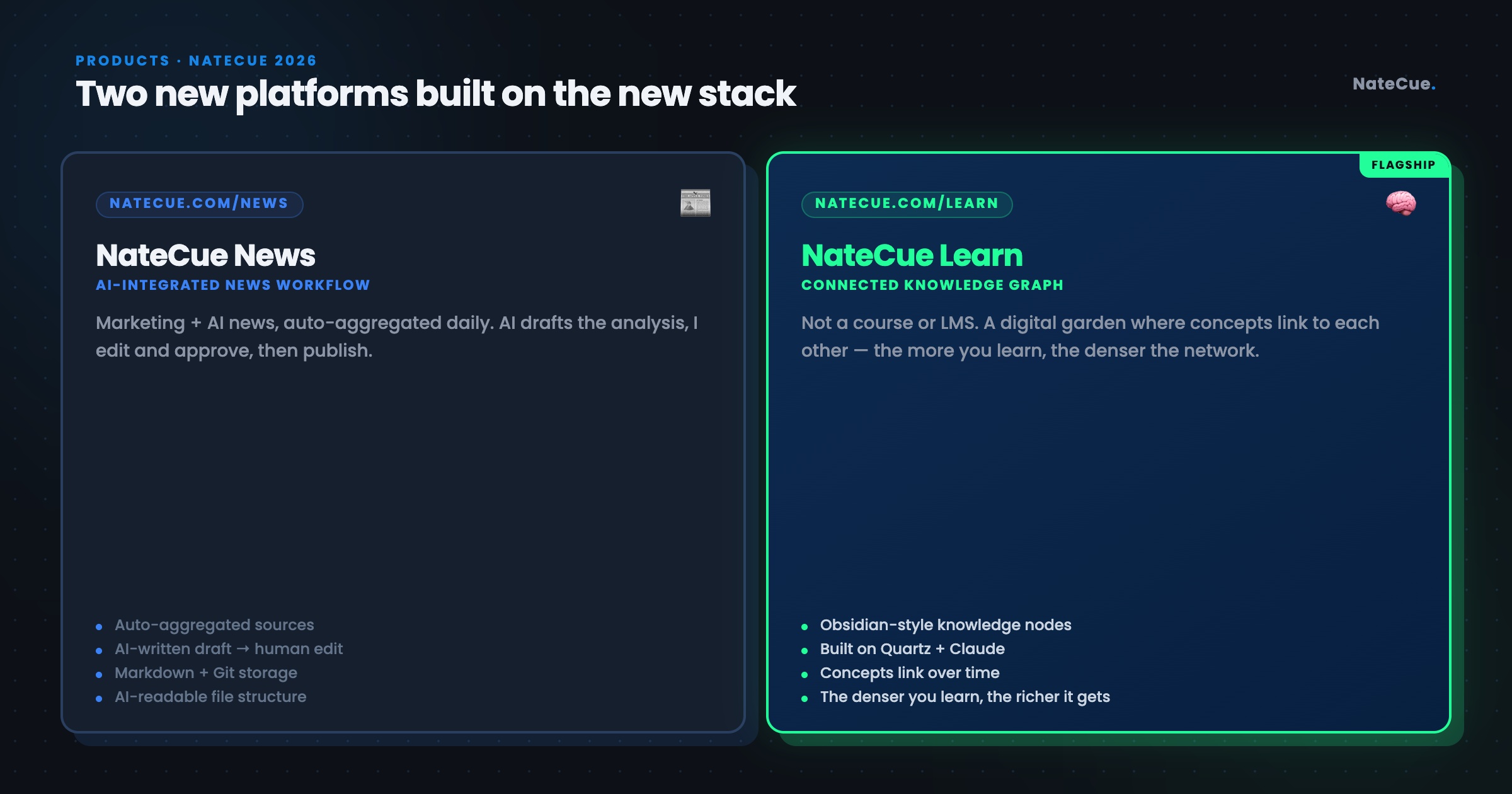
The first project is NateCue News - a site covering marketing and AI news, with an AI-integrated writing workflow built in from the start. The idea: news gets aggregated automatically, AI analyzes and creates a draft, I edit and approve, then publish. For this workflow to run smoothly, I needed Markdown-based content and file-based storage so AI can read and write to it easily - a requirement that WordPress with a MySQL database underneath simply can’t handle well.
The second project is NateCue Learn - a learning site with fully custom UX. What I wanted most wasn’t a course template or a ready-made LMS plugin, but an Obsidian-style knowledge graph - where pieces of knowledge don’t sit in isolation but connect to each other over time, and the more you learn, the denser and more meaningful the network becomes. I took Quartz - an open-source digital garden framework on GitHub - as the foundation and asked Claude to adapt it to the exact UX I wanted, something I wouldn’t even know where to start coding myself.
How AI moved with me
This is the part I want to be most direct about: without AI support, I couldn’t have done this on my own.
I’m a Marketer in Tech - I understand design, content, and strategy, but writing React components from scratch, setting up Astro config, handling routing, i18n, RSS feed generation, or automated OG images are all things outside my primary skill set. Instead of spending 3-6 months self-learning React and Astro first (and honestly, I’m pretty sure I never would have gotten around to it), I chose AI - specifically Claude - as my technical collaborator throughout the whole process. Its role was to explain how different parts of Astro work when I didn’t understand, write components when I described my requirements, debug when there were errors, and review code structure to suggest better organization.
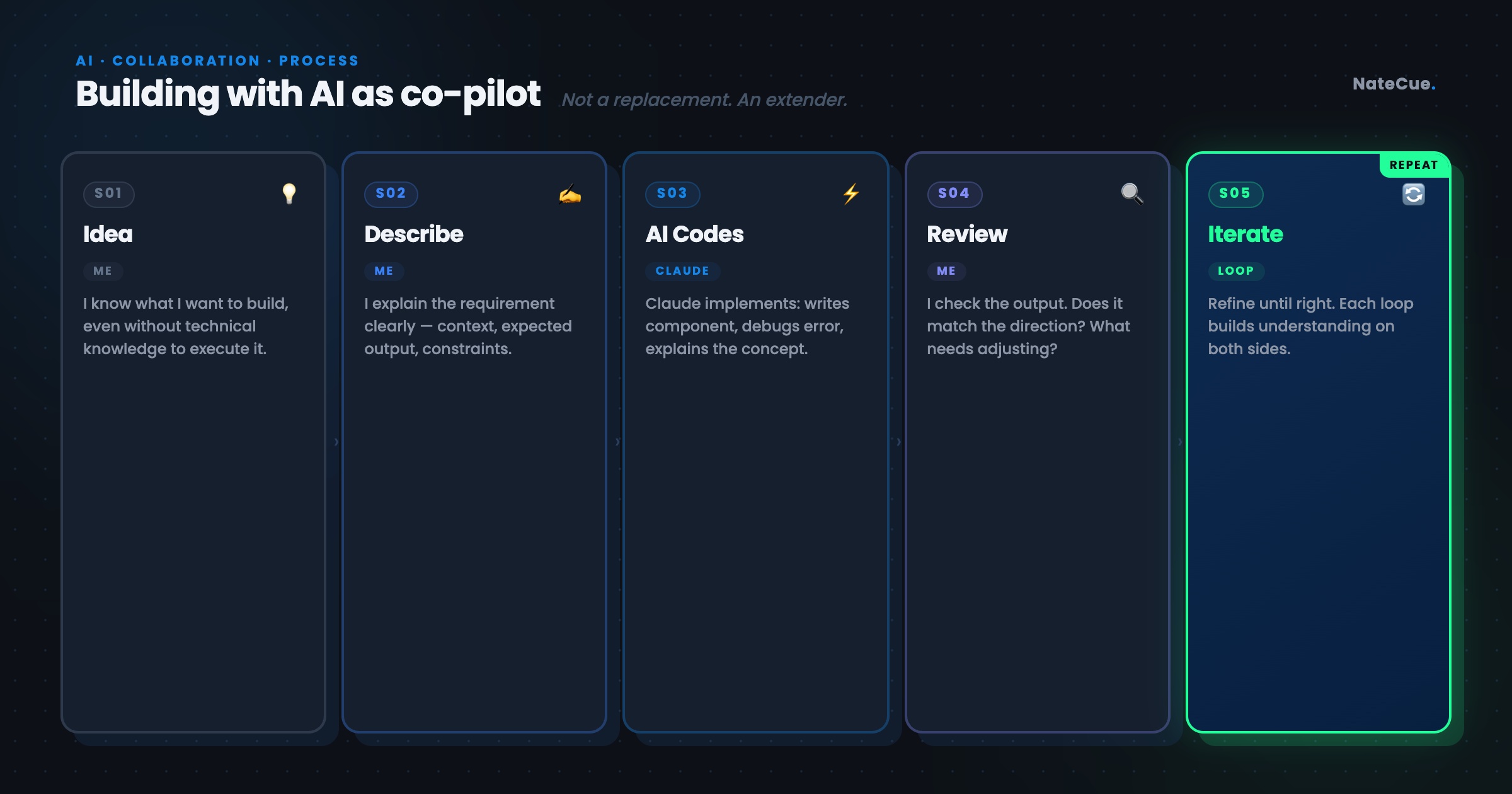
The important thing is that this workflow wasn’t “AI does everything, I watch.” I still had to make decisions about architecture, UX, and how each feature should function - the actual work happened in a loop: I describe what I need, AI implements, I review the output, I point out what needs adjusting, then repeat. That demands knowing enough to ask the right questions and recognize when AI proposes a solution that doesn’t fit the direction I’m going - but the gap between idea and implementation, AI fills that gap effectively enough that I genuinely can’t picture how I would have built this project without it.
One thing I didn’t anticipate: every time I asked AI to explain a new concept - what Islands architecture is, why SSG instead of SSR, how hydration works - those explanations were substantial enough to become lessons on NateCue Learn. I was building the website while accumulating the understanding I actually needed to explain things to other people, while also generating material to add to the knowledge graph. One decision that produced three outcomes simultaneously - and that’s a kind of efficiency I couldn’t have had if I’d just hired someone to code it and received a finished product.
The real comparison: WordPress vs Astro
| WordPress + Elementor | Astro + React | |
|---|---|---|
| Initial setup | Easy, 1-2 hours | Complex, needs AI or a developer |
| Performance | Average - depends on hosting and plugins | Good by default |
| Customization | Constrained by theme and plugins | Unconstrained |
| Long-term cost | Hosting + premium plugins | Lower (Vercel free tier) |
| Content workflow | WordPress editor | Markdown + Git (AI-friendly) |
| Best for | Simple blog, small business website | Custom product, AI-integrated workflow |
| Hardest part | Avoiding plugin conflicts | The initial setup step |
No stack is objectively better - there’s only the stack that fits your specific needs at a specific moment in time.
To be straight about it: WordPress is still a very solid choice for businesses or anyone where output matters more than process - meaning publishing consistently, managing content easily, and getting SEO set up immediately through plugins without needing to understand any of the technical side. Astro requires you to manually configure sitemap, robots.txt, canonical tags, and structured data - things WordPress handles with a few clicks. And that’s the trap I see most clearly when using Astro: fewer constraints means more decisions, and it’s very easy to get absorbed in setup, optimization, and debugging while completely forgetting the original goal was to… write.
The next step I’m thinking about is researching AI + WordPress combinations - to see whether AI can be brought into a writing and content management workflow on top of WordPress, to find a better balance between technical control and actual output. If I get results worth sharing, I’ll write about that next.
Lessons from the migration
Switching stacks isn’t a small decision - there’s a real learning curve, things you have to configure from scratch, days when you’re debugging something and can’t figure it out and have to ask AI to walk through it step by step. But looking back, it’s a decision I don’t regret, because it gave me something more valuable than initial speed: the ability to build exactly what I want without compromising at every turn.
The biggest lesson I took from this is that the right tool is the tool that helps you build what you want to build - not the most popular tool or the easiest one to pick up at the start. WordPress was the right choice for me in 2021, and Astro is the right choice for me in 2026 - those two things don’t contradict each other. As for AI, its role isn’t to replace skill but to help me bridge the gap between idea and implementation at exactly the moment I need it, with exactly the level of support that’s necessary. That’s how I think about using AI in building: not a replacement, but an extender.
Thanks for reading NateCue Insights!